
Video Workflow: How to Post 3 Shorts a Day!
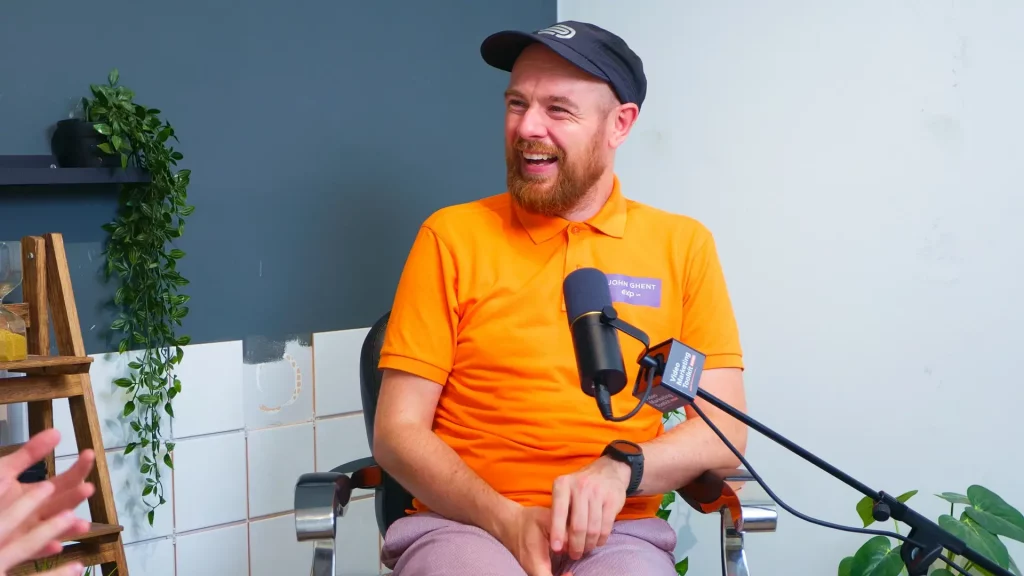
In this clip from the Video Marketing Toolkit podcast, I sat down with Leicester estate agent and local content creator, John Ghent, to break down the workflow that lets him post multiple short form videos every single day, while still running a busy business.
If you have ever looked at creators who post three, five or even ten times a day and thought, “How on earth are they doing that?”, this is the system behind it.
John’s video workflow is simple, repeatable and very doable for a small business owner.
Video Workflow With Two Content Streams: long form and short form
John splits his video workflow into two clear streams:
- Long-form video
This is where he goes deeper. Think 10 to 15 minute videos on a particular area, topic or story. These are recorded once, then edited and uploaded to YouTube. - Short form content
These are the TikToks, Reels and Shorts that people see every day in their feeds. John uses the long form as a base, but also records a lot of short form directly on location around Leicester.
Keeping those streams separate makes planning and execution much easier. Long form is where you plan and explain. Short form is where you show up often and stay top of mind.
Step 1: Record long form efficiently
Long form video is where John involves his editor the most.
His process looks like this:
- He decides on a topic and uses AI to help outline the video.
- Instead of a word for word script, he works from bullet points so he can talk naturally.
- If the final video needs to be 15 minutes, he will record for around 25 to 30 minutes. That gives room for mistakes, movement and different angles without wasting a whole day.
- He uploads the footage to his editor, who:
- Cuts the final long form video
- Creates a thumbnail
- Writes or tidies the description
- Schedules it to YouTube
Once that long form video is signed off, the editor then chops it into multiple short clips and distributes them across what John calls “the big five”:
- YouTube Shorts
- TikTok
One recording session now turns into a long form asset plus several punchy short clips that work on every major platform.
Step 2: Repost smart, not spammy
There is a small but important twist in how John uses Facebook.
- First, he posts the long form video to YouTube, then shares the YouTube link to Facebook.
- After three to four weeks, once the YouTube video has had chance to do its thing, he will upload the full long form video natively to Facebook as well.
That way, he gets:
- The algorithm benefit of a native Facebook video
- A second chance at reach from content he has already made
- More people discovering him on the platform where his audience is currently strongest
It is a simple way to get more mileage from each long form video, without doubling the work.
Step 3: Use AI for planning Your Video Workflow, not as a crutch
One of the biggest time savers in John’s workflow is how he uses AI during planning.
Rather than sitting in front of a blank page, he will:
- Tell AI what type of video he wants to make, who it is for and what he wants to cover.
- Get back a rough structure, key points and suggested order.
- Turn that into a bullet point list, then speak to the camera from that.
No reading off a script. No robotic delivery. Just enough structure so he does not forget what he wants to say.
If you struggle to get started, this is a great way to speed up planning without losing your natural voice.
Step 4: Batch short form on location
Where John really ramps up the volume is with his on-location short form content.
Most of his shorts are recorded directly in the TikTok app, which keeps things fast and friction free.
Here is what a “content day” looks like for him:
- He picks an area, for example Leicester city centre, Glen Parva or Beaumont Leys.
- Before he leaves the house, he opens a notebook and writes down around 30 ideas tied to that area:
- Landmarks, like the clock tower
- Old pubs and clubs
- Streets with interesting history
- Local stories and small details people walk past every day
- He travels in by bus so he can even grab content out of the bus window.
- Once he is there, he works through the list, recording 30 to 60 second clips straight into TikTok:
- A quick talking head about a street
- A walk and talk past an old building
- A reaction to something he spots on the day
By the end of a six hour content day, he can have 35 TikTok drafts sitting in the app, ready to post.
That is comfortably more than a week of short form content, created in one focused block of time.
Step 5: Save to drafts and treat them as your content bank
For some people, the idea of leaving 30 plus videos sitting in drafts sounds stressful.
For John, drafts are an asset.
His process is:
- Record a clip.
- Watch it back once.
- If it is good enough, save it to drafts.
- Move straight on to the next idea.
Later, when he is at home or between appointments, he can:
- Open the drafts
- Add captions or small edits
- Post to TikTok
- Download the video and hand it to his virtual assistant to repost on Facebook, Instagram, YouTube Shorts and LinkedIn
He does not need to create from scratch every single day. He just needs to publish from the bank he has already filled.
Why This Video Workflow Works for Busy Business Owners
There are a few reasons this approach is so powerful:
- It separates creation and publishing. Content days are for making. Normal days are for posting.
- It uses your real environment. John films in the city he works in, talking about things he already knows. That cuts research time and keeps him authentic.
- It keeps the tech simple. Recording in TikTok, using AI for outlines and letting an editor handle the heavy lifting means he can focus on being on camera.
- It scales with your time. If you only have one afternoon a month, you can still batch a block of shorts and drip them out.
Try this for your own business
If you want to borrow John’s workflow, start small:
- Pick one long form video topic. Use AI to outline it, then record 10 to 15 minutes and get it edited.
- Ask your editor, or use your own software, to cut three to five shorts from that long form.
- Plan a half day “content walk” around your local area. Write 10 to 15 simple ideas in a notebook and film them vertically on your phone, either in TikTok or your camera app.
- Save everything to drafts and commit to posting one to three shorts a day for the next week.
Once you have done it once, your second and third runs will feel much easier.
The goal is not perfection. The goal is a simple, repeatable video workflow that keeps you visible, builds trust with your audience and actually fits around the business you are trying to grow.
If you would like help building that workflow for your own brand, that is exactly what we do at Video Formula.